Remote Education
Remote Learning
Guide to accessing RM Unify and Google Classroom in the event of school closure
RM Unify can be accessed at home.
A huge number of programmes can be accessed from this launch pad.
In the coming weeks and days, your class teachers may direct you to different apps on the Launchpad but the ones to ensure you can access now are RMEasimaths, Espresso and your Google Classroom.
1. Open Chrome browser and go to https://www.rmunify.com/
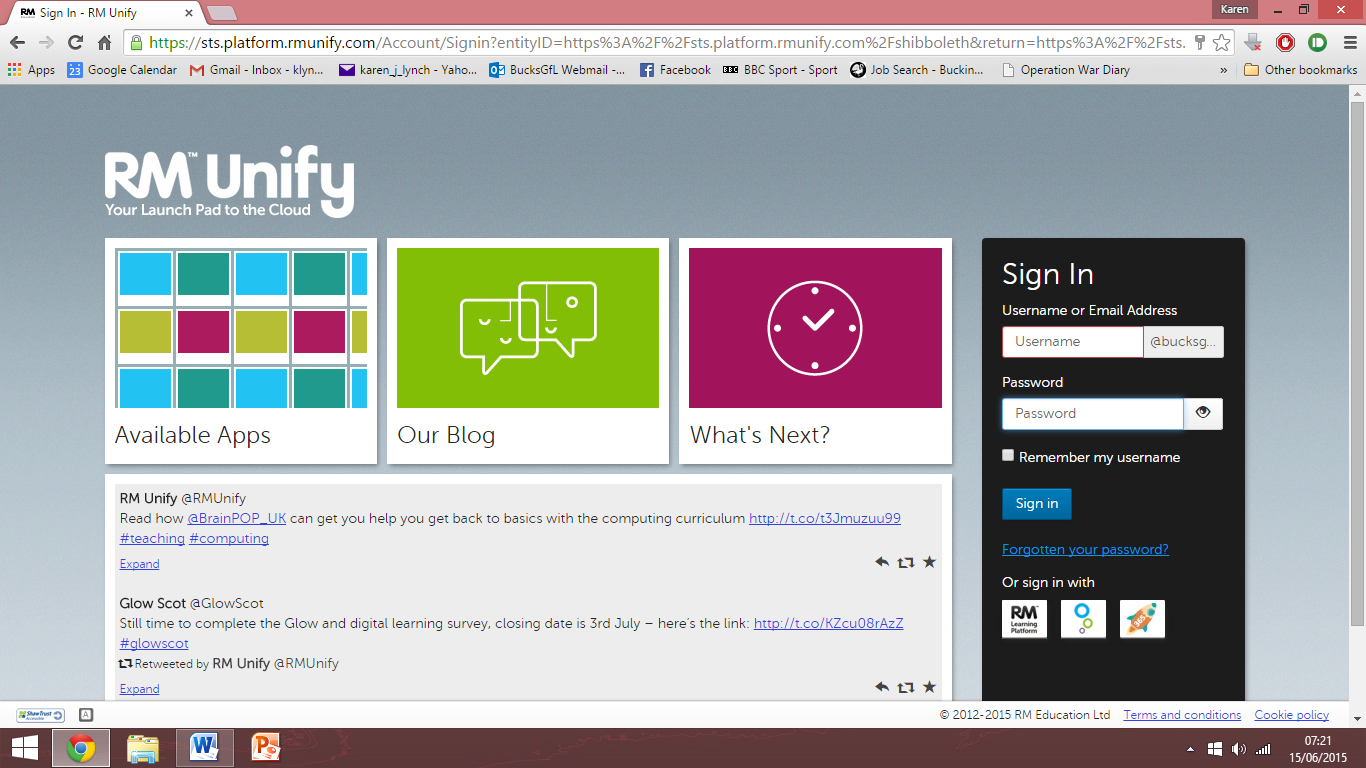
2. Sign in. Your username and password are the ones you use at school
Type in your school user ID and add @butlerscourt.bucks.sch.uk to the end of it.
The password is the one you use at school.
Example – someone called Joe Bloggs who is in the cohort who started Reception in 2018 would have the username 18bloggsj@butlerscourt.bucks.sch.uk
3. This will take you to the following screen where you can access the different apps.
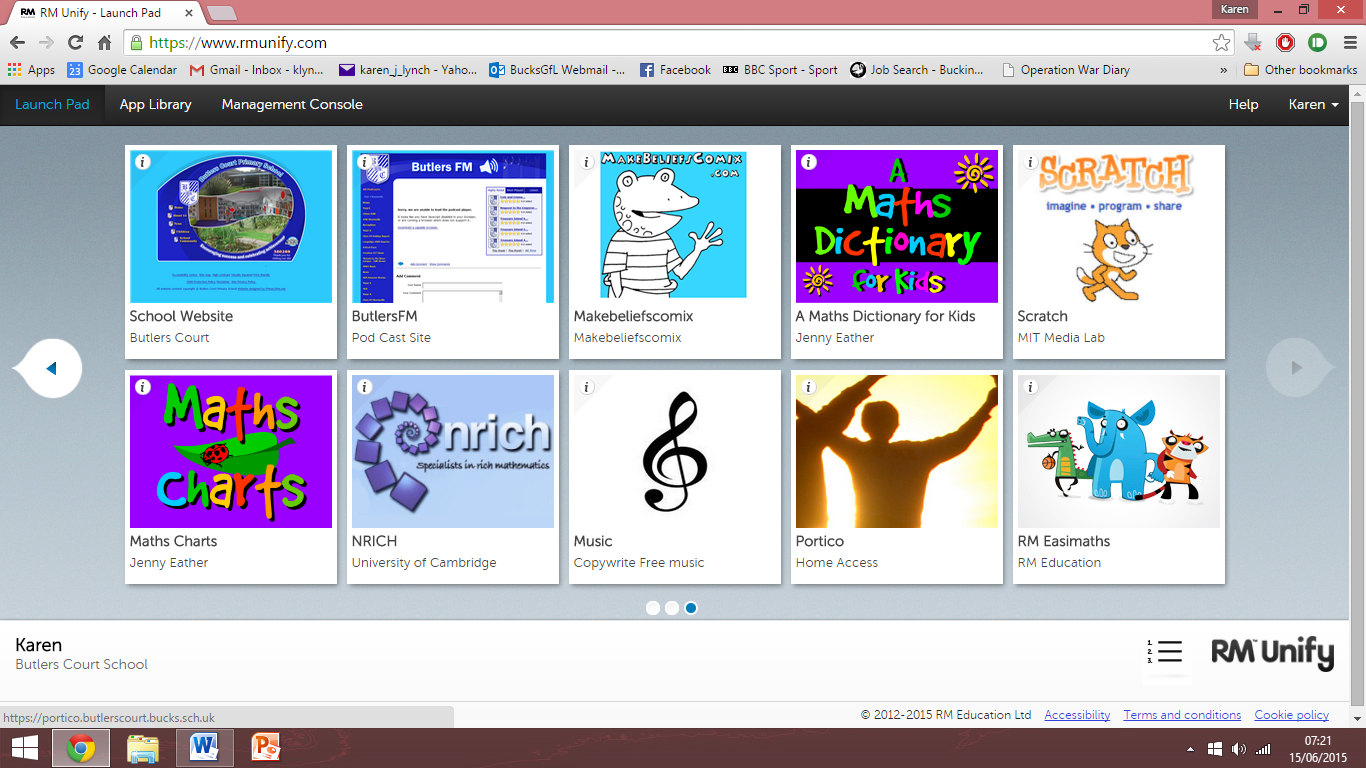
4. Choose what you wish to access:
Click on RM Easimaths – it has a picture of a crocodile, elephant and tiger. (This is set up for each individual child)
Click on Espresso – it has a picture of two children on a seesaw. (Great for spelling games and much more)
Click on Google Classroom – a picture of a green rectangle with three people. (This is where your class teacher can communicate with you and your class)